



Website accessibility helps more people use your site, reduces legal risk, and improves overall usability. Most organizations treat W3C Accessibility Guidelines (WCAG) as the practical standard for accessible digital experiences — even when laws don’t name a specific technical spec.
Given its strategic importance, web accessibility should never be treated as a one-off project but a continuous program that pays close attention to user needs in a holistic fashion. This post will help you start that process and explain what you need to sustain the momentum.
What is website accessibility, and why is it important?
Website accessibility ensures that all your web content — web pages, text, images, and videos — can be accessed and understood by any person at any time, no matter their circumstance.
The first thing that comes to mind with web access is often someone who is blind using a screen reader for text and images, or someone who is deaf or hard-of-hearing using captions on a video. But in reality, the benefits of website accessibility extend far beyond this.
For example, many people benefit from video captions who don’t identify as deaf; some people use them because they have auditory processing disorders or simply can’t have their volume on at the time they come across your video.
In other words, website accessibility should be the bare minimum to provide a positive content experience for people with disabilities — but it’s also beneficial for everyone. And without it, you’re likely excluding potential and current customers from your messaging.
What are the dos and don’ts of website accessibility?
Making your website more accessible may require a deep-dive into the back end and development of your site. But there are also easy changes you can make just to your content that will improve the user experience.
Do
- Use clear text: The simpler the better. For example, adding the important takeaway from an infographic into your copy is better than trying to describe the entire infographic in alt text.
- Use descriptive link text that clearly explains where the link goes, rather than rely on vague terms like “click here” or “read more.”
- Use true HTML headings and semantic landmarks to structure content.
- Provide meaningful error messages, instructions, and labels that screen readers can detect. This avoids leaving users guessing what went wrong or what’s required.
- Correctly number and format headings: This allows users with a screen reader to follow the flow of the content and skip around if necessary.
- Ensure visible focus states and add a clear “skip to content” link.
- Make buttons and links large enough to tap easily, with enough spacing.
- Label form fields: Any contact form or lead generation form on your website should have correct labels associated with each field — like name, address, or company — to guide users through the form.
- Be mindful of capitalization: Avoid using all caps for emphasizing a point. It hampers readability and can be perceived as shouting at your audience. Plus, some assistive tech may announce capitalization in certain contexts. When using hashtags on social media, though, you should capitalize the first letter of each word to separate them.
- Add alt text and image descriptions to graphics and icons: The descriptions should convey the meaning of the image, not just how it appears. Harvard has a helpful guide to creating descriptive text, and each social media site — Facebook, Instagram, LinkedIn, Twitter, etc. — has its own guidelines.
Don’t
- Create keyboard traps that prevent users from navigating freely.
- Use low-contrast colors: Whether it’s in a graphic or on the website itself, always use high-contrast text and background colors to make it easier for low-vision and colorblind users to read the content. Use the Color Contrast Accessibility Validator to test your colors if you’re not sure.
- List full URLs: Any URL should be embedded in a hyperlink that describes the content of the linked page, either plainly or within the context of the copy, like our Color Contrast Accessibility Validator link above.
- Overload on layout tables, inaccessible PDFs, and complex visuals: Graphic assets are great visual aids, but they shouldn’t add unnecessary complexity and barriers that affect website comprehension for someone who is not sighted.
- Respect users’ reduced-motion settings and keep animations subtle. Don’t force motion effects that can cause discomfort or distraction.
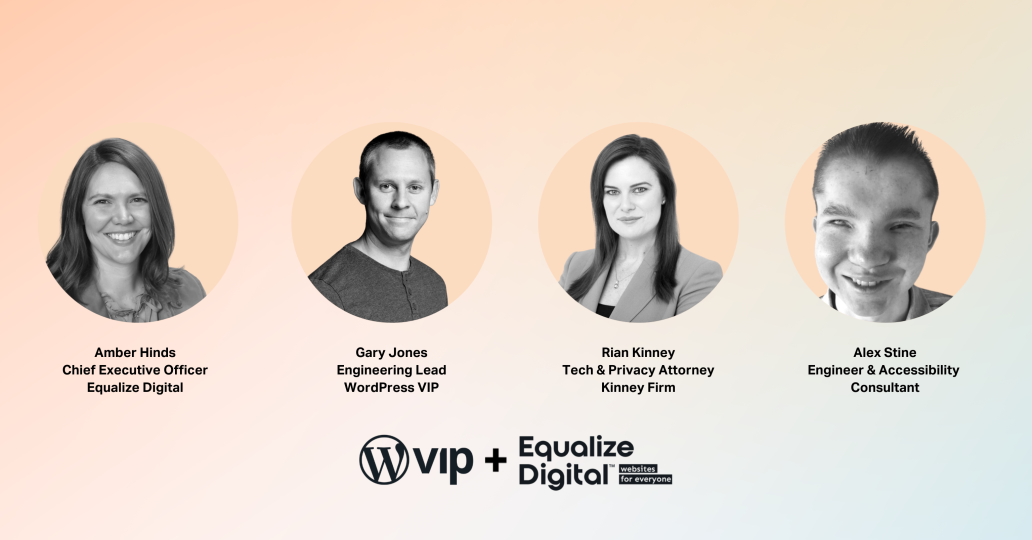
“Icons have their place, but don’t build your entire website out of them. Any way you can remove complexity provides better results in the end.”
— Alex Stine, DevOps Engineer and Accessibility Consultant
Website accessibility laws and regulations
While providing a fully accessible web experience should be something you want to do, it’s also a requirement by law for many organizations. The following is a non-exhaustive list of examples to keep in mind and to build into your strategy as appropriate.
U.S. website accessibility laws
Within the United States, there are federal, state, and local laws related to website accessibility.
At a federal level, Title III of the Americans with Disabilities Act (ADA) states no individual can be discriminated against on the basis of disability. That now includes websites. Section 508 of the Rehabilitation Act of 1973 also requires federal entities to make their digital content accessible to people with disabilities.
State-specific laws includes the California Disabled Persons Act & California Unruh Civil Rights Act, Arkansas Act 1227 of 1999, and Texas House Bill 2819.
Global website accessibility laws
If you do business in the European Union, the European Accessibility Act (EAA) outlines requirements for private organizations across member states. A related directive on website accessibility is aimed at public sector bodies.
Within the U.K., the Equality Act 2010 outlines accessibility requirements for the private sector, while government organizations must also comply with the The Public Sector Bodies (Websites and Mobile Applications) (No. 2) Accessibility Regulations 2018.
Canada addresses website accessibility through the federal Accessible Canada Act and via various provincial regimes (such as the AODA in Ontario). Australia uses its Disability Discrimination Act.
Are businesses legally required to make their websites accessible?
Often, yes — depending on where you operate, who you serve, and how your site is used. Regardless, the legal and reputational risk has made accessibility a practical requirement for most businesses.
In the United States, the answer to this question is complex, varying based on industry, storefront locations, and more. However, with statements by the Department of Justice confirming that the ADA does apply to websites, it is best practice for businesses to make reasonable efforts to make their website, apps, and content as accessible as possible. This is the case for global business, as well, because new international regulations are surfacing all the time.
Note: the U.S. government even offers a tax credit up to $5,000 a year to make your website or mobile app more accessible.
How does the accessibility of a web-hosting panel come into play?
Under many countries’ laws, a website host — just like other service providers — has a legal responsibility to provide access to its services in a way that doesn’t discriminate against those with disabilities.
WordPress VIP recently had one of our featured agency partners carry out a detailed accessibility audit on our wpvip.com marketing site, our docs.wpvip.com documentation site, and our VIP Dashboard, which is a tool our account holders use to manage their applications.
The audit identified areas where accessibility could be improved, from fundamental issues like layouts and heading structures, to improvements in the actual code. We’re now in the process of rolling out fixes to our sites to improve accessibility. We’ve also made accessibility training more widely available to our internal teams.
“We want our teams to understand why web accessibility is beneficial, how that can manifest in code, and why it’s not just a checkbox activity to avoid legal repercussions.”
— Gary Jones, Engineering Lead, WordPress VIP
How can you identify accessibility issues on your website and start improving?
Ready to spot where accessibility matters most? Start with these common touchpoints — each one deserves thoughtful design, testing, and fixes.
Checklist:
- Navigation + mega menus: Test with a keyboard and screen reader — can everyone get where they need to go?
- Search + filters: Make sure users can find and refine results without sight, mouse, or hassle.
- Authentication flows (login / MFA): Keep these secure, accessible, and frustration-free for all users.
- Checkout / donation / signup: Ensure forms, buttons, and error messages are clear and consistent.
- Forms (lead gen, support): Label fields properly, and announce errors where users can actually find them.
- Video players + captions: Always include captions and transcripts; auto-play is not your friend.
- PDFs + downloads: Offer accessible alternatives or ensure documents meet accessibility standards.
- Third-party embeds (chat, maps, scheduling, consent banners): Audit for accessibility and provide alternatives when they fall short.
The good news about auditing your own site for accessibility is that you don’t have to do it alone, and you don’t have to be an expert. Automated tools are available to identify issues such as missing labels, contrast problems, and ARIA misuse. You’ll still have to pay close attention to logical reading order, meaningful alt text, and keyboard usability.
Plugins, extensions, and SaaS solutions
There are a lot of tools — many free — that identify accessibility problems on your website.
The Equalize Digital Accessibility Checker WordPress plugin audits your website for W3C Accessibility Guidelines (WCAG), ADA, and Section 508 accessibility errors.
Browser extensions, such as WAVE, IBM Equal Access Accessibility Checker, Deque’s Axe DevTools and Extension, which can report on issues broken down by the WCAG. These extensions are especially helpful if you’re creating a Voluntary Product Accessibility Template (VPAT) to adhere to Section 508 requirements.
Additionally, there are formal SaaS solutions that run accessibility scans weekly or monthly, providing real-time reports of potential problems to address and correct.
“Accessibility isn’t something that you attain. It’s something that you maintain. The laws change, and technology changes. You have to stay on top of it.”
— Rian Kinney, Tech and Privacy Attorney, The Kinney Firm
Agencies and web developers
Another way to address potential problems and build a more accessible website is to hire an agency or a web developer who specializes in accessibility.
During the vetting process, ask these key questions to ensure they can truly deliver an accessible website for your business.
- What is your approach to accessibility, and when does accessibility come into your process? This will show you how important accessibility is to them in their web development process and the expertise they have in incorporating it into a website.
- Can you give me a list of a few websites you’ve built? Once they provide a list of URLs, you can not only test the accessibility of the website yourself, but also use some of the tools mentioned above to run your own accessibility audit. Check for any red flags or obvious errors.
- Does anyone on your team have accessibility certifications from the International Association of Accessibility Professionals? This may indicate whether they take accessibility seriously.
- Ask any simple implementation question. For example, give them a scenario like, “I want to add a drop-down menu to a page on my website — how would you do that?” If the first thing they consider is the visuals, accessibility may not be top of mind.
Beware of agencies and developers that charge extra for website accessibility. Accessibility work is real work; what’s a red flag is charging extra to follow basic best practices or refusing to build it into the core process.
“For hosting companies, making the service more accessible for [their customers] often means it becomes simpler and easier for everybody to use. That’s one of the great things about accessibility.”
— Gary Jones, Engineering Lead, WordPress VIP
Establishing your own operating model for website accessibility
- Start by defining a clear target standard, typically WCAG 2.2 Level AA, which is widely recognized as the current benchmark for inclusive digital experiences and expands support for users with visual, cognitive, and motor disabilities.
- Assign ownership across your organization. Your stakeholders should include those from functions such as product, design, engineering, and content. This ensures accessibility is embedded into every stage of delivery, not siloed in quality assurance (QA).
- Audit your experience and prioritize fixes based on real user journeys. Focus on the paths that matter most, such as sign-up, checkout, or key tasks.
- Address issues at the component or template level so improvements scale across your system. To keep progress from slipping, build accessibility into your design system and CI checks to prevent regressions before they ship.
- Publish an accessibility statement with a clear feedback channel so users can report barriers, and commit to re-testing on a regular schedule. Accessibility improves over time through iteration, transparency, and accountability, not a single release.
How can website accessibility help your organization reach your diversity, equity, and inclusion goals?
Creating an accessible online presence is an essential practice for every brand. It’s also the right thing to do to provide an equitable experience for all users.
Factors such as color contrast and a mobile-friendly interface affect how every visitor interacts with your site. More importantly, website accessibility empowers visitors with disabilities to easily navigate and consume your site’s content, enabling them to feel more comfortable and confident engaging with your business.
Beyond that, accessibility isn’t just for your customers. There are legal requirements to accommodate your employees in their jobs. It benefits businesses to hire a diverse team that includes people with disabilities to run user tests. They can spot accessibility issues you never considered, offering incredible insight into what can be improved.
The more diversity you can have on your internal team, the better it is. Hiring a diverse team will bring a variety of different life experiences, knowledge, and expertise to better not just your website, but your entire organization.
How can website accessibility help your organization enhance user experience, brand trust, and attract talent?
An accessible website creates a more welcoming experience for everyone who interacts with your brand. Designing with accessibility in mind ensures all visitors can easily find information, complete tasks, and feel confident engaging with your content, regardless of ability, device, or context.
Accessibility overlaps with many aspects of digital experience. Mobile usability, for example, ensures you’re offering a responsive, well-structured site that works better for everyone, including users relying on assistive technology.
Performance is also important. Fast-loading pages improve usability for visitors with slower connections or adaptive tools that can struggle with heavy code. And of course, writing in plain language supports cognitive accessibility and keeps communication clear and inclusive for all audiences.
Accessible design also builds brand trust and loyalty, showing that your values extend beyond words to real action. Internally, it nurtures a more inclusive culture by attracting diverse talent — especially those who bring personal insights into digital accessibility and usability. These perspectives can transform how your organization designs, tests, and connects with people online.
Website accessibility provides everyone with a more positive and engaging experience — a crucial part of building relationships with potential customers and driving revenue for your business.
Interested in diving deeper into website accessibility?
Related content
What Businesses Need to Know About Website Accessibility
Author

Greg Ogarrio
Content Marketer, WordPress VIP