


WordPress accessibility and compliance are critical for CMS-based website quality, regulatory adherence, and long-term asset management. Website accessibility is a fundamental aspect of the CMS implementation layer that impacts how content is governed and delivered at scale.
Accessibility compliance must be integrated into enterprise-level content management to ensure sustainability, mitigate risk, and maintain a high standard of digital integrity across all structured CMS operations.
What is WordPress accessibility?
WordPress accessibility is the functional capacity of a WordPress-powered website to be perceivable, operable, and understandable by all individuals, including those with visual, auditory, motor, or cognitive disabilities.
This is achieved through adherence to recognized digital accessibility standards, ensuring that the interface and content do not present barriers to users, regardless of their physical or mental abilities.
WCAG standards and WordPress
Web Content Accessibility Guidelines (WCAG), developed by W3C and ratified as ISO/IEC 40500, are the recognized international standard for making websites accessible to the widest possible audience.
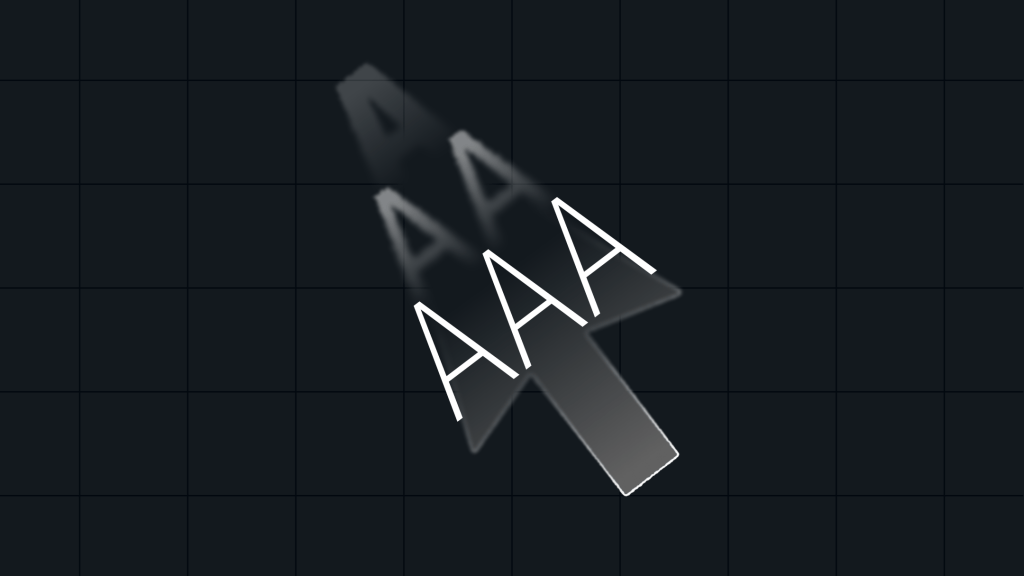
WCAG defines technical and functional requirements for website accessibility across three levels of conformance:
- A (minimum accessibility)
- AA (recommended accessibility to meet most government requirements)
- AAA (highest accessibility)
WordPress accessibility aligns with these global standards by applying the four WCAG principles to website architectures and content:
- Perceivable: Information presented on a website and user interfaces for interacting with a website must be provided in a way that can be understood using a minimum of one of their senses.
- Operable: Website interaction must be possible without requiring touch or mouse input, including navigation by keyboard-only input or voice commands.
- Understandable: Website users must be able to understand the information and the operation of the user interface.
- Robust: A website must continue to communicate with all users and remain compatible as new assistive technologies emerge.
Accessibility compliance standards
Accessibility compliance standards are the regulatory frameworks that set expectations for digital inclusivity. These requirements vary significantly depending on whether an organization must meet federal government or private-sector ADA requirements, European Union EAA requirements, or rules specific to its type of business, such as those regulating healthcare and finance.
Because WordPress websites often serve global audiences across multiple jurisdictions, they must often align with several overlapping regulatory frameworks simultaneously to meet legal and ethical obligations.
The United States and European Union each have well-defined regulatory requirements for accessibility.
ADA requirements
The Americans with Disabilities Act (ADA) is a United States civil rights law that mandates digital accessibility for individuals with disabilities.
The ADA requires businesses and organizations to provide “effective communication” via their digital presence. Enterprise WordPress websites must comply with ADA requirements to ensure they do not discriminate against users with disabilities.
Section 508
Section 508 of the Rehabilitation Act requires U.S. federal agencies to make their information and communication technologies accessible to people with disabilities.
When WordPress is utilized for public sector websites or by organizations receiving federal funding, the websites must meet Section 508 standards to ensure equitable access to government-related digital content and services.
European Accessibility Act and global compliance
The European Accessibility Act (EAA) is an EU-wide framework designed to harmonize accessibility requirements across member states.
As of June 28, 2025, all websites and apps providing services to EU citizens must be compliant. WCAG 2.1 Level AA is currently accepted as the standard for compliance with EN 301 549, the EU standard for measuring website accessibility.
WordPress accessibility plugins
WordPress accessibility plugins are designed to identify, remediate, or support accessibility within a website’s content and interface.
These plugins help with automated accessibility checks, provide guidance on common technical fixes, and integrate accessibility controls into content publishing workflows. While these tools support the wider accessibility process, they are most effective when used as part of a comprehensive strategy rather than a standalone solution.
- WP Accessibility: Helps fix common accessibility issues in themes, such as adding skip links, removing redundant title attributes, and enforcing underline styles for links.
- Accessibility Checker (by Equalize Digital): Can provide real-time accessibility audits within the WordPress post editor, highlighting specific WCAG errors and warnings for content creators.
- WP ADA Compliance Check: Scans websites for accessibility violations and provides detailed reports and instructions to bring the site into compliance with ADA and Section 508 standards.
WordPress accessible design components
Accessible design components are the foundational elements for building WCAG-compliant WordPress sites. Theme design, content assets, and editorial tools all play a role in maintaining website accessibility over time.
Accessible WordPress themes
Themes are the architectural core of a WordPress site, controlling page layout, HTML structure, and navigation patterns. Accessible themes provide a WCAG-compliant framework that simplifies maintaining accessibility, coupled with foundational support for assistive technologies.
Accessible content in WordPress
Accessible content in WordPress results from the construction and formatting of the content. Using descriptive alt text for images, contextually relevant link text, and logical heading structures are all examples of improving content accessibility.
How content is organized and presented directly impacts the ability of users with different needs to comprehend and interact with information provided on your website.
Gutenberg Block Editor accessibility
The Gutenberg Block Editor is designed for accessible usage and content creation. Gutenberg influences how content teams build pages and whether the resulting output is structured correctly. An accessible editor includes features such as alt text fields for image blocks, heading enforcement, color selection, and a keyboard-navigable block toolbar.
WordPress accessibility testing
WordPress accessibility testing evaluates a website’s adherence to standards and overall usability for people using assistive technologies. Maintaining an accessible website requires testing throughout the development lifecycle and during ongoing maintenance. This allows your website to start in a compliant state and ensures compliance as new content grows the site over time.
Automated accessibility testing tools
Automated accessibility testing tools are software applications that scan a website’s code to detect programmatically identifiable issues. Automated tools accelerate evaluation during redesigns, pre-launch checks, and routine maintenance, identifying errors such as color contrast issues, missing form labels, and missing alt text.
Automated testing tools include:
- Web Accessibility Evaluation Tool (WAVE): A suite of evaluation tools that run as either a browser plugin or as an API. WAVE provides visual feedback about the accessibility of web content by highlighting errors directly on web pages.
- Lighthouse: An open source, automated tool created by Google that audits web pages for performance, SEO, and accessibility.
- Deque (axe-core): Accessibility tooling designed to integrate into developer workflows to catch issues before website updates are pushed to production.
Our accessibility tool comparisons can help you determine which tools are right for your workflows.
Manual and assistive technology testing
Manual and assistive technology testing are human-centric approaches for validating issues that automated tools cannot easily detect, such as logical reading order and navigational sequencing.
This testing involves navigating a WordPress site using keyboard-only controls and assistive technologies like the NVDA and JAWS screen readers. The most effective manual testing is performed by people who use assistive technologies daily.
Accessibility audits for WordPress websites
Audits are a comprehensive review process used to determine the compliance status of a WordPress website. Audits go beyond automated scans to evaluate content, site design, and interactive functionality.
An enterprise accessibility audit is typically conducted as part of a formal compliance review or long-term management strategy to provide a clear roadmap for remediation and risk mitigation.
Enterprise WordPress accessibility compliance
Enterprise-level accessibility in WordPress involves managing compliance across high-volume systems, multiple stakeholders, and governance structures to reduce organizational risk. Enterprise accessibility focuses on scalability and the institutionalization of accessibility practices to manage long-term risk and operational consistency.
Legal risk and accessibility lawsuits
Legal risk and accessibility lawsuits are significant drivers of accessibility compliance. Accessibility-related lawsuits have increased significantly, from around 4,000 per year to more than 8,000 in 2025 as government compliance deadlines passed.
Maintaining compliance standards for WordPress websites is a key strategy for mitigating these legal and financial risks.
Accessibility governance for enterprise teams
Accessibility governance involves establishing internal rules, assigning clear responsibilities, and creating repeatable processes across design, development, and content teams.
Effective enterprise accessibility governance ensures that accessibility is not a one-time audit but becomes a continuous part of the organization’s digital operations, requiring coordination among legal, design, engineering, content, and marketing departments to maintain accessibility standards.
WordPress VIP and accessibility at scale
In enterprise environments like WordPress VIP, maintaining accessibility at scale in WordPress VIP and other high-traffic website ecosystems has the potential for complexity. WordPress VIP simplifies meeting website accessibility requirements.
Some WordPress themes are designed to meet WCAG accessibility standards. Customizing one of these WCAG-compliant themes within your WordPress VIP environment can help fast-track accessibility compliance.
The WordPress VIP admin experience is designed to be accessible, giving your internal users an out-of-the-box experience. The Gutenberg Block Editor is designed to meet the WCAG AA standard for accessibility so that content creation is an accessible experience for all users.
Maintaining an accessible user experience at scale requires robust tooling, automated workflows, and standardized governance to ensure that as the site grows and evolves, it continues to meet required standards of inclusion and compliance without compromising performance or operational efficiency.
Related content
Website Accessibility Governance for Large Organizations
Author

Jake Ludington
Jake is a technology writer and product manager. He started building websites with WordPress in 2005. His writing has appeared in Popular Science, Make magazine, The New Stack, and many other technology publications.