Over the past few months, we’ve talked with editors, marketers, audience leads, and executives at publishers and brands. The same feedback came up again and again. Teams have more data than ever, spread across more tools, but they use less of it.
One head of strategy put it this way: there’s too much data; the average person opens a dashboard and finds it too intimidating, so decisions get made without it.
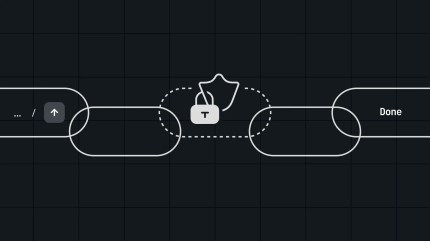
That is the problem we built Parse.ly MCP to solve. It is a hosted connection between your Parse.ly data and the AI assistant your team is already using. Ask a question in your chat, and the assistant pulls the data from Parse.ly, adding its own insights and analysis. It works with Claude, ChatGPT, Claude Code, Codex, and others that support MCP tooling. No other content analytics platform offers an MCP today.
What Parse.ly MCP looks like in action
Here is a real example run against our own site, wpvip.com:
We asked Claude, “What held readers’ attention on wpvip.com last week?” It called Parse.ly, ranked the week’s content by engaged minutes, and came back with this:
- Your top page by engaged time (September 15 to 21) was the government website accessibility guide, an ebook page from July 2025, with 195 engaged minutes across 783 visitors, but only 15 seconds per visitor.
- The Future of the Web webinar page had far fewer visitors (118) but held their attention for four times longer.
- The most-read new piece was Shane Schick’s AI content quality post from September 14, with 109 visitors and 61 engaged minutes.
We dug a bit deeper.
“Why are the visits so short for the accessibility guide?”
- Of 868 views, 751 came from Google, nearly all of them from paid search ads in the public-sector campaign on terms like “wcag 2.1” and “web accessibility guidelines.”
- 741 of the 783 visitors were new.
- And it’s a gated download page with about 120 words on it. Fifteen seconds is long enough to read it. The real question is whether people fill in the form.
“Did anyone do anything?”
- 44 reached the thank-you page, which means they downloaded the guide. About one in twenty.
- Nine more kept reading into the accessibility implementation toolkit.
- Everyone else came in from an ad, looked at a form, and left.
Three questions in about one minute. That multi-step analysis is how we find patterns, problems, and opportunities. Nobody on our team built a report, exported a spreadsheet, or waited a day for an analyst.
What Parse.ly MCP changes for your teams
Anyone with a question can now get instant answers
Parse.ly MCP has dozens of tools behind it: top content, traffic trends, referrers, real-time, post details, conversions, campaigns, headline test results, and rankings across a multi-site network. That means:
- An editor running a morning meeting can ask which of last night’s headline tests won, and by how much, in the same chat where the day’s assignments are being written.
- A managing editor across a multi-brand network can ask which site’s election coverage is bringing readers back, without opening five dashboards.
- An audience lead can ask how traffic to a summer series is split across email, social, and direct.
- A content marketing lead can ask which email and social campaigns drove the most engaged time this week, and how long the readers actually stuck around.
Parse.ly sits next to your other business data
This is powerful and something a dashboard can’t do. If your assistant is also connected to your documents, spreadsheets, CMS, and other tools, it can use Parse.ly data for deeper analysis with context about your entire business. You can put Parse.ly numbers next to your subscriber list, editorial calendar, or ad revenue. Paired with WordPress VIP’s Secure MCP, your assistant can read what’s trending and draft an update to the post for an editor to review.
Access is secure and simple
You authorize once with your existing Parse.ly login. The assistant has access to the sites and data your user account already sees, and nothing more. No API keys, no shared accounts, no new permissions for your security team to review.
Where this goes
The Parse.ly dashboard isn’t going anywhere. Real-time signals and daily performance still earn their place. But now there’s a new reason to buy analytics. We designed Parse.ly MCP around how people ask questions, using thousands of real queries from Parse.ly Sage to shape the tools, and validated them against live production data. Analysis that used to take a request and a day now takes a conversation.
If you’re a Parse.ly customer, connect it today and tell us what you asked it. We want to hear your feedback.
Frequently asked questions
How is Parse.ly MCP different from Parse.ly Sage?
Sage answers questions about your Parse.ly data inside the Parse.ly dashboard. Parse.ly MCP brings the same data to the assistant you already work in, where your other tools, files, and context live. Use Sage when you’re in the dashboard. Use the MCP when you’re not.
What do I need to set up Parse.ly MCP?
A Parse.ly login. In Claude, open Settings, then Connectors, search for Parse.ly, and click Connect. Other assistants connect with the server URL from the docs. ChatGPT adds it as a custom connector, which needs Developer mode, a paid plan, and connectors enabled by your workspace admin.
Is Parse.ly MCP safe?
You authorize once through OAuth with your existing Parse.ly login. Access is limited to the sites and permissions your account already has. No API keys or secrets are shared with the assistant. Of course, make sure you follow AI best practices and that your assistant does not train on your business data.
Does the Parse.ly MCP make recommendations?
The MCP returns Parse.ly data. You and your assistant do the reasoning on top of it. We use the same data definitions as the dashboard, so it isn’t inventing numbers or terms.