

The reality
Your team has never had more data. Or used less of it.
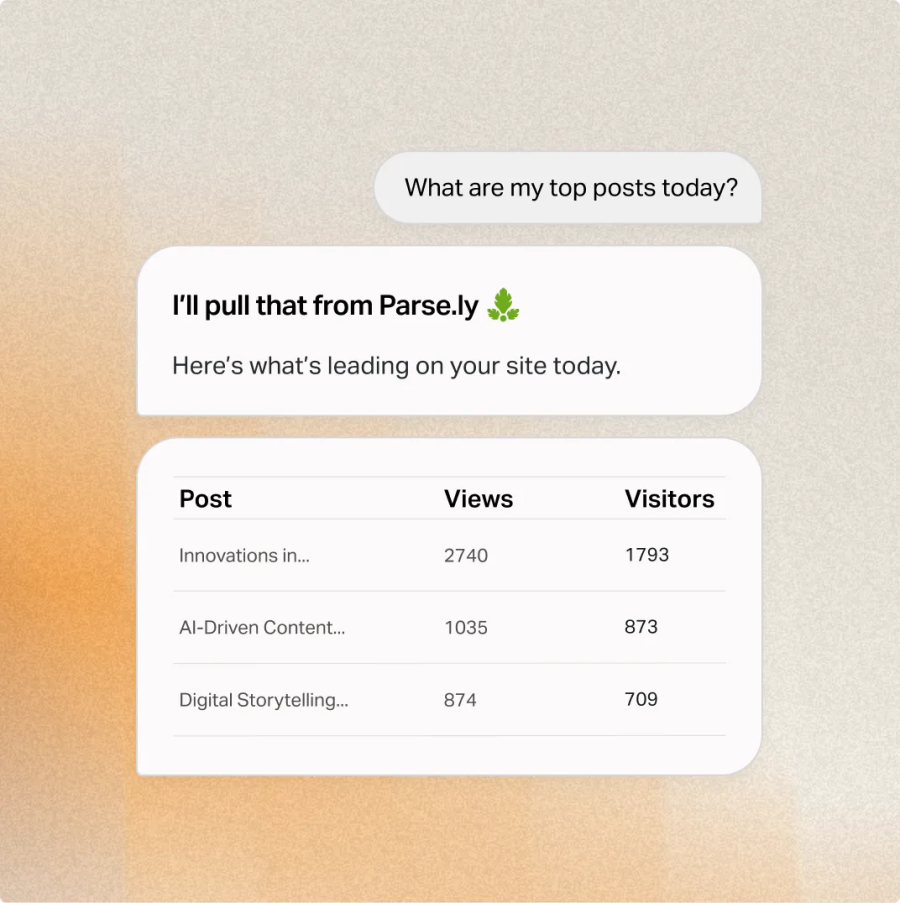
A lack of data isn’t the problem. It’s all the portals and dashboards where you access it, disconnected from other systems. One question takes multiple tools, and someone’s time to answer. With Parse.ly MCP, your Parse.ly data is connected to the assistant your team works in — so they ask the question and get the answer in the same conversation.
What it is
The same data, reachable from any AI assistant
Parse.ly MCP from WordPress VIP is a hosted endpoint that connects your Parse.ly account to any MCP-compatible AI assistant. It exposes the data in your dashboard as tools an assistant can call on your behalf.
21
tools and growing
Official
Claude connector and ChatGPT plugin
Minutes
to connect
$
0
extra cost for
Parse.ly customers

How it works
Nothing new for your security team to approve
Most tools ask your team for a new key. Parse.ly MCP uses the login they already have. Authorize with OAuth 2.1 through your existing Parse.ly account. Access is scoped to the sites and metrics that account can see — no API keys to generate, store, or rotate.
Parse.ly has an official Claude connector and ChatGPT plugin, so users connect in a few clicks. Every other MCP client connects to the same endpoint.
Who it’s for
Built for the team that lives in an AI assistant
Whoever’s asking, the data comes from the same Parse.ly account, with the same permissions attached.
Content and marketing teams
Ask a question in plain language and get an answer built from live performance data, without waiting on a report.

Analysts and data teams
Pull Parse.ly data straight into the coding environment or AI client already in use, and chain it with other tools.

Platform and IT leads
Keep the access model you already approved. Parse.ly MCP runs on the identity and permissions your team manages in Parse.ly.

What you can do
Combine your content data with
everything else you use
The assistant your team works in holds your tools, your files, and project context.
Connect Parse.ly, and it can draw on your content data too.
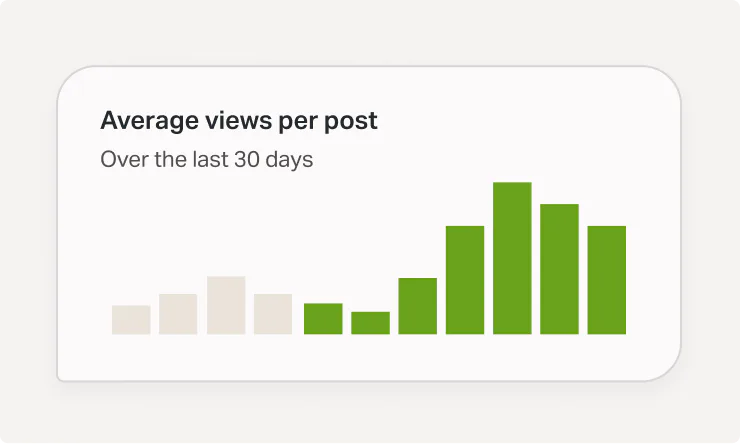
Traffic and engagement
Ask about views, visitors, and engaged minutes for any day, week, or month, and compare results.

Connected tools
Pair Parse.ly findings with the CRM, project tracker, or design tool your assistant connects to.
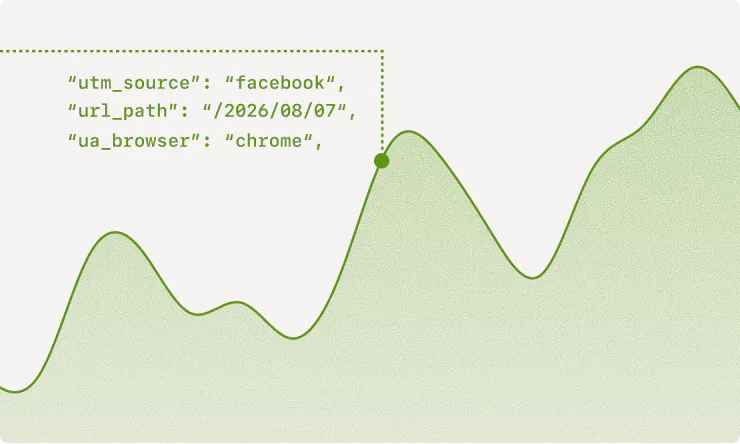
Referrers
See where your traffic comes from by category, then drill into the referring domains and pages.
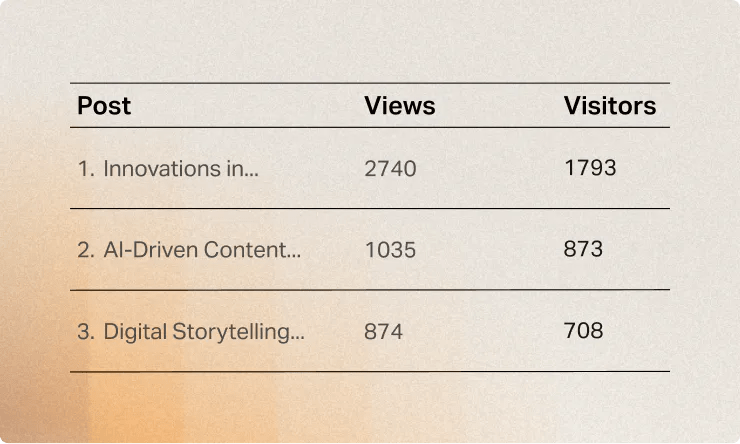
Top content
Rank posts, videos, and pages by any metric, or find a single one by title or tag.

Authors, sections, and tags
Group performance by author, section, tag, channel, or audience segment.
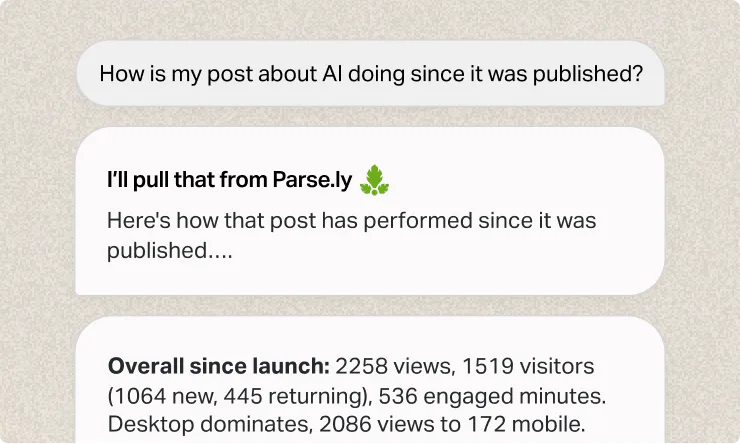
Post detail
Pull a post’s full timeline, referrers, and engagement over time.

Goals and conversions
Check pacing on every content goal, and rank the conversions your content drives.
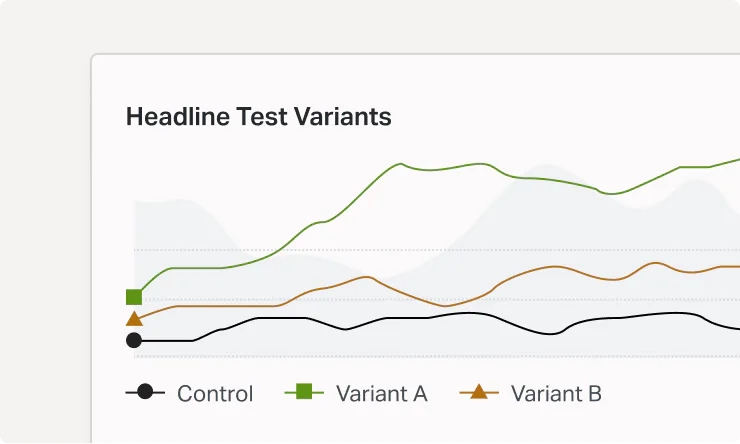
Campaigns and headline tests
Query campaign performance, and see which headline variant won each A/B test.

Every site in your network
Compare traffic and performance across every site your account can reach.
“The Parse.ly MCP via Claude.ai has helped AccuWeather dig into analytics on a deeper scale to answer specific questions about what headlines are working, what’s not and even provide suggested news angles we should pursue based on the data. I also love the specific detail we can get from channel data, including Apple News referrals.”
Emilee Speck
Sr. Content Editor, AccuWeather
Frequently asked questions
Is this a chatbot or an AI agent?
Neither. It’s a set of tools an AI assistant calls on your behalf.
Which AI assistants work with it?
Any client that supports MCP, including Claude, ChatGPT, Claude Code, Codex CLI, and Cursor.
How is this different from Parse.ly Sage?
Parse.ly Sage is the fastest way to get an answer in the Parse.ly dashboard. MCP is how a Parse.ly answer becomes part of a bigger one in the AI assistant you work in. Most teams use both.
Do we have to install anything?
No. There’s no plugin to install and nothing to run on your own servers. Connect your Parse.ly account to a supported assistant, and start asking questions.
How do you set up Parse.ly MCP?
Search for Parse.ly in your Claude connector or ChatGPT plugin directories and authorize with your existing login. Other clients connect at dash.parsely.com/mcp, or through the mcp-remote bridge if they only speak stdio. Full steps are at docs.parse.ly/mcp-server.
What does it cost?
Nothing extra for Parse.ly customers. It’s on every plan tier, with no usage-based pricing.
Bring your own assistant.
The data is already there.
Parse.ly MCP is included for every Parse.ly customer, at no extra cost.
Your team can connect today.