
A global media company operates a dozen editorial brands with the same publishing standards. A state government maintains a site per agency under common compliance requirements. An enterprise software company requires brand consistency across every localized site in each region.
Each of those organizations faces similar challenges. Factors like platform updates, security patches, plugin management, and brand governance multiply as new sites are added to the organization.
WordPress multisite solves these challenges at the infrastructure level. A single WordPress install hosts many websites from a common codebase and shared governance model. Each site retains its own content, users, and domain, without needing separate updates per site.
What is WordPress multisite?
WordPress multisite is a native WordPress feature that allows a single installation to host multiple websites. Each site maintains its own content, users, and settings, while sharing a common codebase, plugins, and themes.
Multisite WordPress supports either subdomains or subdirectories, depending on which makes sense for the property. Subdirectories keep search authority consolidated to a single domain. Subdomains allow each property to build authority independently, which matters when regional sites need their own country domain or if there’s potential to sell off a property in the future. Multilingual sites face this decision sooner than other networks, but all multisite architectures need to consider which approach to choose.
A multisite network introduces the super admin role, which isn’t needed in a standard WordPress install. Super admins create and delete sites, install themes and plugins, and define user roles and access across the network of sites. Site admins work within the boundaries of their own web property and do not have access to other properties on the network.
Multisite is a structural choice about where user permissions, code implementation, and governance standards live. Setting up a multisite installation is the easy part. Defining which properties belong in a network, who acts as a super admin, and how changes are propagated is the bigger challenge.
WordPress multisite use cases for enterprise
Several repeated themes represent common WordPress multisite use cases:
- Media networks and publishers: One parent company with many editorial brands. The brands often share an ad stack, subscription logic, and newsroom tools. Each brand has a distinct voice for its unique audience.
- Higher education: A university brand with individual colleges, departments, research centers, and labs. University IT owns the platform. Faculty and department staff own their content.
- Government agencies: A national or state-level organization with departments and agencies all bound by the same accessibility and records requirements.
- Multi-brand enterprises and franchise networks: A parent company with product brands, acquired brands, or regional franchise sites that need to adhere to branding standards as a single family.
- International organizations with localized properties: A core site with regional variants, coordinated from a central content team and localized regionally.
Below are some real-world examples of WordPress multisite used to manage content operations for large organizations.
OKdo and WordPress multisite
OKdo runs ecommerce sites in seven markets and six languages, with 5,000 products localized for each market, all hosted from a single WordPress multisite installation.
Here’s why they love it:
- One multisite installation running every regional and language variation
- WooCommerce, NetSuite, and tax and payment integrations connected on a single platform
- Compliance with global trade and tax regulations across every market
- A new business line launched and earning revenue in eight months
Hachette Book Group and WordPress multisite
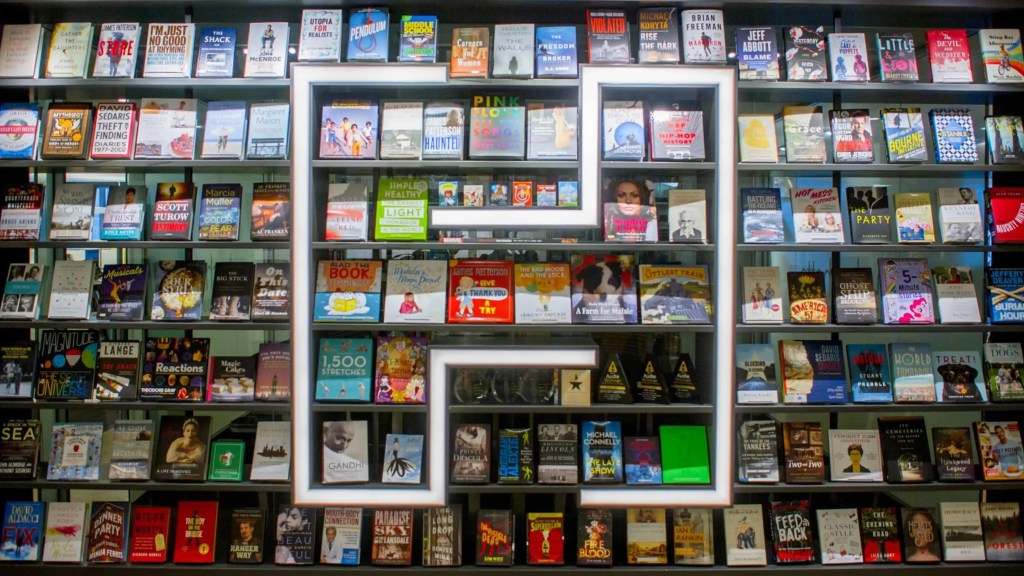
One of the largest trade publishers in the US, Hachette Book Group (HBG), came to WordPress VIP seeking a custom, single source of content across their catalog.
They successfully launched WordPress multisite using the WordPress VIP platform with expanded capabilities:
- Centralized site building and domain management
- Custom page builder and template system
- Elasticsearch for display of dynamic page elements
- ONIX and Bowker XML integration
- Comprehensive in-dashboard search
USA TODAY Sports Media Group and WordPress Multisite
USA TODAY Sports Media Group drives more than half of all traffic in the USA TODAY network of sites. It currently runs 58 sports-themed sites using a single WordPress multisite configuration.
Multisite was the right answer for USA TODAY Sports Media Group because:
- Unifying the codebases reduced mounting technical debt.
- Network expansion now happens faster.
- New features are built once and shipped everywhere.
- Multisite enabled stronger local control and central governance.
Key benefits of WordPress multisite for large organizations
By centralizing workflows for shared tasks, WordPress multisite addresses many common pain points in enterprise content management:
- Centralized plugin and theme management. Installing and testing plugins and themes across multiple sites is a task that must be repeated for each site in a network. Multisite reduces the time required to manage these components across sites by consolidating installation and testing to a single event, while also improving deployment consistency.
- Unified security patching. When dozens of sites all need the same security patch, there’s a risk that one or more of them get missed. Multisite allows developers to apply a patch once. This saves time when testing the codebase and ensures that all sites are up to date.
- Shared user management and SSO. Managing users across multiple sites takes time and increases the risk of granting access to the wrong users or denying access to the right ones. Multisite unifies user management and SSO into a set of roles and permissions that are defined once. This benefit becomes tangible at audit time when you need to quickly understand who changed what and when.
- Brand consistency. Maintaining a consistent brand voice across multiple sites is challenging because rules need to be defined for each site. Multisite enables the sharing of brand assets across a network of sites.
- Consolidated analytics and reporting. Running multiple sites also means tracking performance on a per-site basis. Multisite offers a holistic picture of how the entire network is performing without needing to export data and merge it in a spreadsheet or external data lake.
WordPress multisite and AI governance
Enterprise content teams are quickly adopting AI for all aspects of publishing workflows. As human editors start using AI agents for everyday content operations, the agents add new risks that your governance model was never designed to mitigate.
- How do you make sure AI agents don’t have more access than the human editor?
- How do you know which AI agent made changes?
- Can you turn off AI agent access?
For organizations with multiple sites, governance of AI agents becomes critical. Agents need consistent access controls that mirror the authentication and role-level permissions granted to the human users who invoke the agents. WordPress multisite provides that governance layer.
WordPress VIP provides an Abilities API and Content Guidelines that operate at the network level for both humans and AI agents. When governance is applied to one site in a multisite installation, it can be enforced across all sites. This is a key advantage of multisite over standalone WordPress websites, where governance must be applied on a per-site basis.
WordPress multisite vs. separate WordPress installations
How do you know whether a multisite or separate WordPress installation is the right choice? The decision often comes down to assessing the extent of overlap in branding, plugin usage, IT management, and governance.
Multisite is the right choice when:
- Website properties share branding, templates, plugins, and customized components.
- A single team owns the codebase and deployment pipeline for all sites.
- New sites are launched regularly, with a set of standard requirements for each launch.
- Common governance, permissions, and audit requirements span all sites in the network.
- Total cost of ownership matters more than per-site independence.
Separate installs make sense when:
- Individual properties have unique architectures or have a temporary lifecycle (a corporate site paired with short-term campaign sites).
- Each site is developed by an independent team with disconnected release cycles.
- There is no overlap in roles and permissions for the content teams managing each site.
- A property must be fully isolated for regulatory or contractual reasons.
- You expect to spin off the site to another organization.
WordPress VIP has extensive experience in this area. For enterprises with three or more related properties that share a governance model, multisite almost always wins in TCO and operational efficiency.
The exceptions to running related properties on a shared infrastructure are almost always about team structure. When individual engineering teams can’t agree on a release cadence, architecture isn’t going to fix that. The same goes for content teams. If teams are used to publishing independently, there will be pushback when trying to align them.
Where to go from here
WordPress multisite is a strategic infrastructure decision that creates efficiencies throughout your content operations.
It allows you to manage authentication and permissions across an entire network of sites. It enforces governance consistently, eliminating the need to redefine rules on a per-site basis. It also makes it possible to implement a single AI strategy across many sites instead of reapplying it each time you add a new site.
Is a multisite in your future? For large networks of sites with centralized development and content, it’s worth considering.
Explore the resources below to learn more and help your team decide, or schedule a demo with our team.